DonutSMP Terminal Mod

DonutSMP Terminal in game
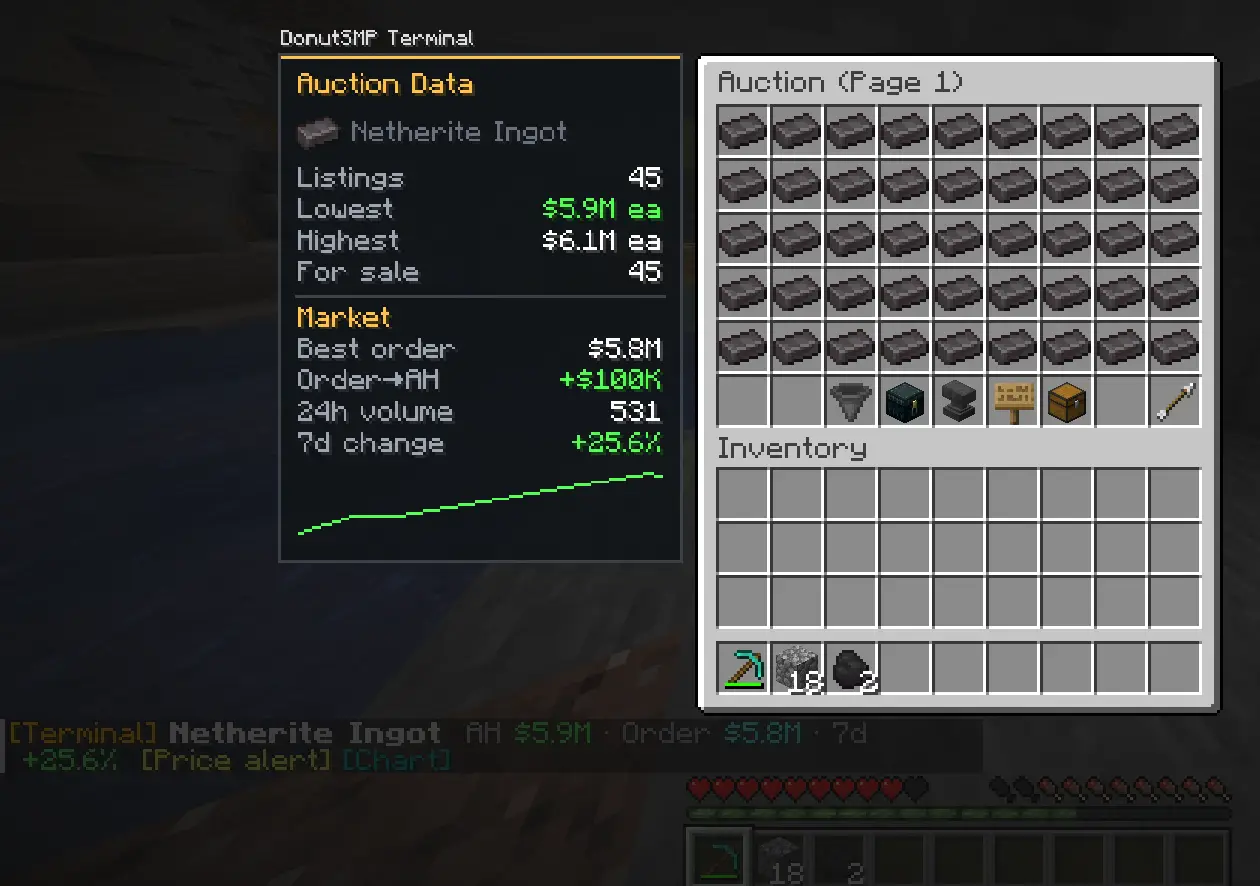
Open /ah, /orders, or /sell as usual. The mod adds a price panel beside the menu and per item prices in tooltips, so you can compare what you see without leaving Minecraft.
Everyone shares the prices they see on searched pages, no account needed. Linking your site account is optional. Turn sharing off any time with /terminal share.
Testing version: This mod is still being tested. Some features may change or have bugs.
The ZIP includes the mod JAR and an install guide. Unzip it before placing the JAR in your mods folder.
Know when a price hits your target
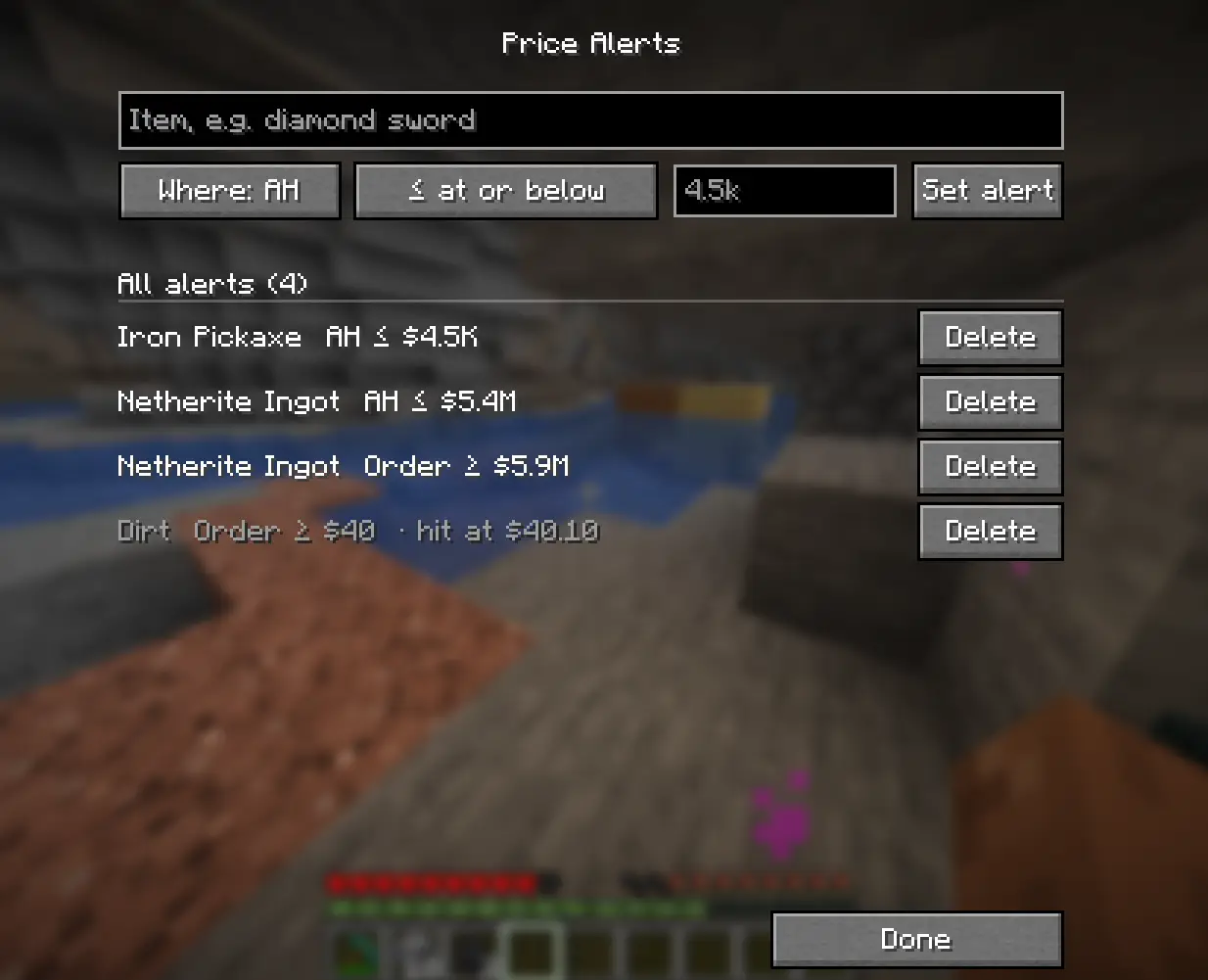
Choose an item, select AH or Orders, and set a price at or below or at or above your target. The mod notifies you when a new market price matches your alert.
Manage your alerts in game
Open /terminal alerts to view your alerts, add a new one, or delete one you no longer need. Price alerts require a linked Premium account.
 Premium
Compare AH and buy order values
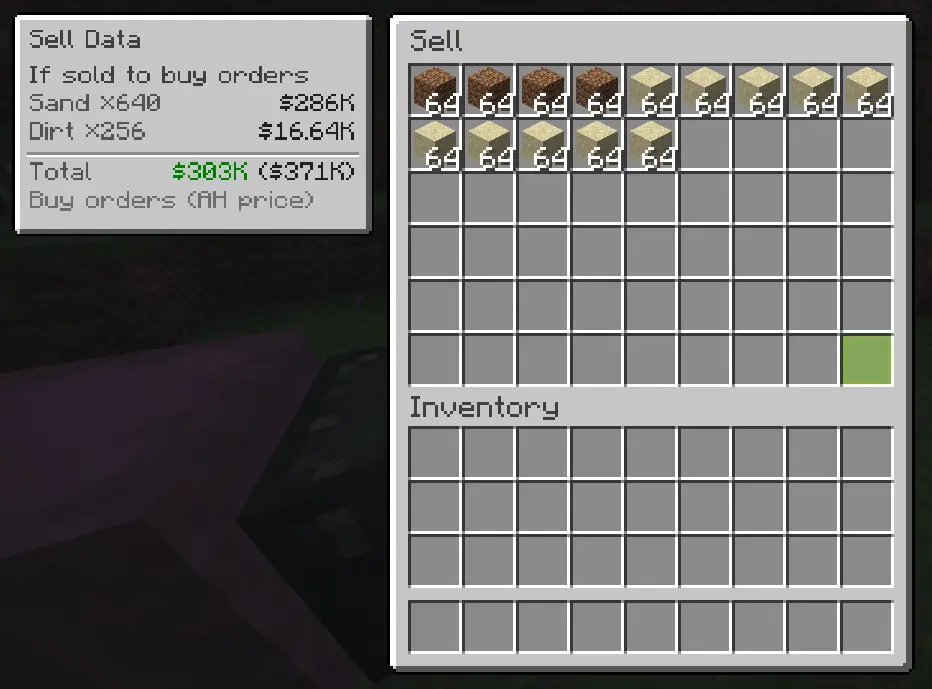
When you open /sell, the mod shows what your items could bring from buy orders alongside their AH value. You can quickly see the difference before you decide how to sell.
See the useful numbers
Check listings, the lowest and highest prices, and how many items are for sale. The panel can also show buy orders, 24 hour volume, and 7 day price change when that data is available.
Make it fit your screen
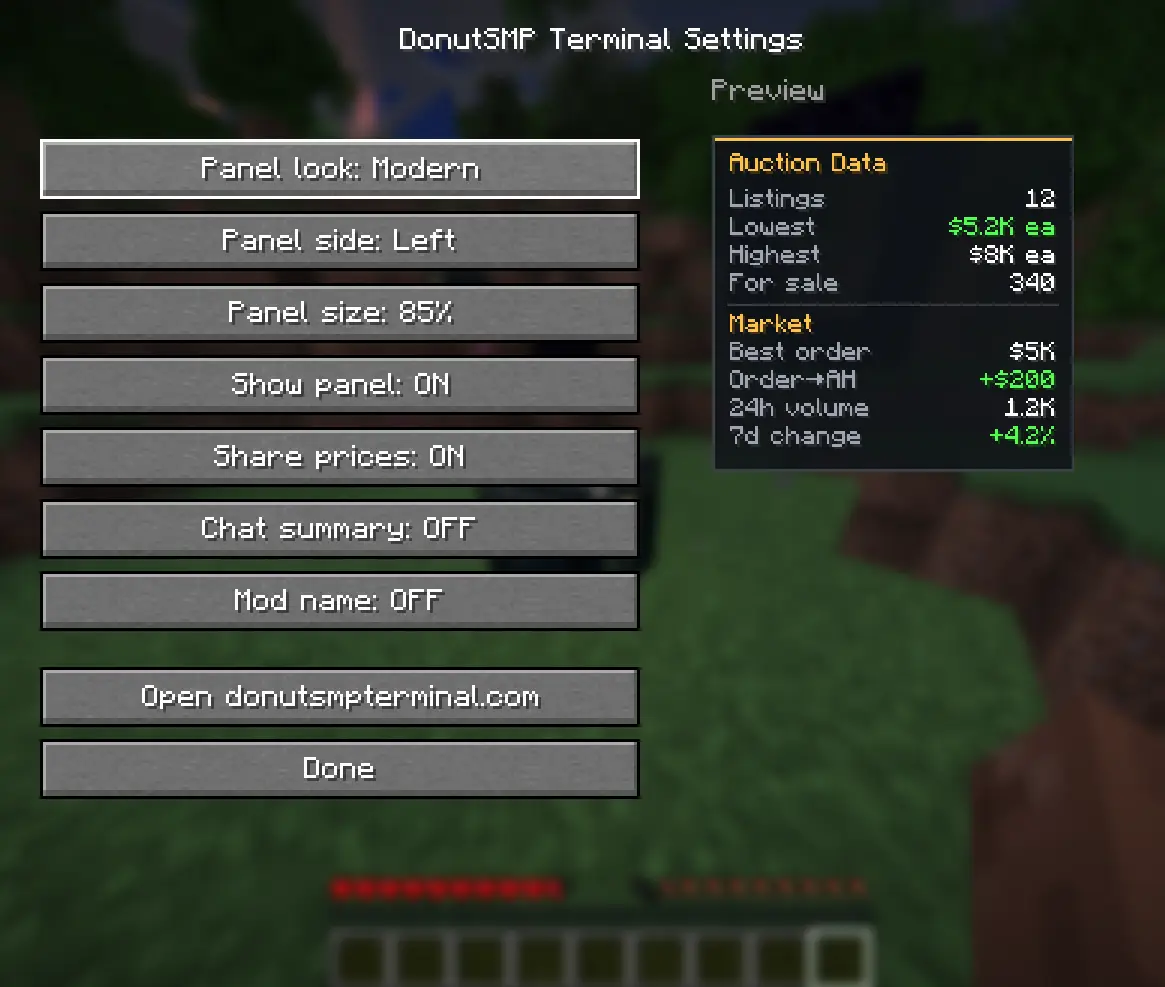
Use /terminal settings to change the panel look, side, and size. You can also turn the panel, price sharing, and chat summary on or off.
Keep control
The mod only shows information from the menu you open. It does not click, buy, or open menus for you, and it does not add an unfair gameplay advantage.
Install the mod
- Install Fabric Loader for Minecraft Java 1.21.4 and get Fabric API for the same version.
- Download and unzip the mod. Put
DonutSMP-Terminal-0.1.4.jarand the Fabric API JAR in your Minecraftmodsfolder. - Launch the Fabric 1.21.4 profile, join DonutSMP, and open
/ahor/orders. Type/terminal settingsto adjust the panel. - To link the mod, sign in to your profile page with your account and click Create new code under Minecraft Mod Link.
- Copy the
/terminal linkcommand and paste it into Minecraft chat. Linking ties your shares to your account. With Premium, it also unlocks market data, charts, and alerts.
Requires Java 21 and Fabric Loader 0.16.0 or newer. Put the JAR files in mods, not the ZIP.
Safe to use
DonutSMP Terminal reads the menus you open yourself and shows information next to them. It does not click, buy, sell, or send gameplay commands for you. It never asks for your Minecraft login.
- Read-only: shows information and never acts for you.
- Made for DonutSMP: menu features are enabled on DonutSMP by default and are disabled in singleplayer. The server allowlist can be changed in the mod configuration.
- No Minecraft login: linking uses a code from your profile.
/terminal unlinkremoves the locally saved code. - Control price sharing: everyone shares the prices they see on searched pages, no account needed. Linking your site account is optional. Turn sharing off any time with /terminal share.
FAQ
Can I get banned?
DonutSMP Terminal is designed as a quality-of-life mod. It does not act or play for you, and it makes menu information and Terminal market data easier to view in game rather than revealing hidden game information. We cannot guarantee how DonutSMP enforces its mod rules, and we're not affiliated with the server.
Can other players see I use it?
The panel is displayed on your screen, and the mod does not announce itself in chat or perform gameplay actions for you. We cannot guarantee that mod use is undetectable.
Is it free?
Yes. The mod is free to download, and its basic panel can display information from the menus you open. Site market data, charts, and price alerts require a linked Premium account.